Neqto is an API integration software where users with no knowledge about coding can make their own API flows by using a flow editor. For this flow editor a flow scheduler had to be designed. This flow scheduler triggers a flow on the given interval ranging from minutes to years by using a cron interval.
However users of this application wouldn’t be able to fill in a cron interval, since that would mean that the user has to have coding knowledge. Therefore I created a simple form that would configure the users input data to a cron interval.
The problem
The amount combinations of intervals possible with a cron interval made it challenging to create an interface that wouldn’t confuse the user.
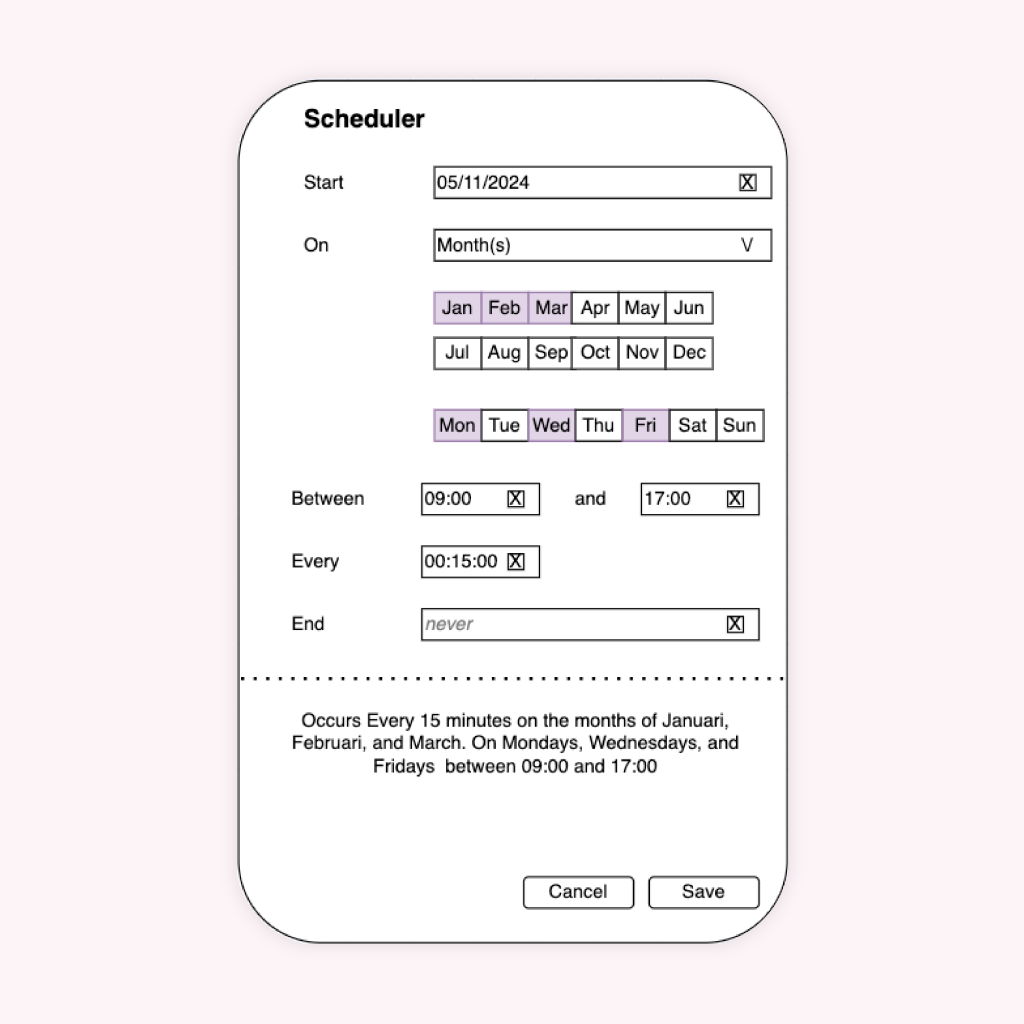
These challenges are visible in the first wireframes created by the developers. These wireframes show an information overload and gives the user the impression that all the fields should be filled, but that is not the case.
The problem was that the developers wanted two types of schedules in one form. The user needed to be able to set the flow on a single time or to repeat it daily, weekly, monthly or yearly.
Thinking, thinking and more thinking
I tried to look for a solution to fit these two types of forms in one, but kept facing the same problem. The overload of possibilities when combining the two types made it impossible to create a clear form.
Brainstorming with colleagues and tweaking the wireframes eventually resulted in the solution.
The solution
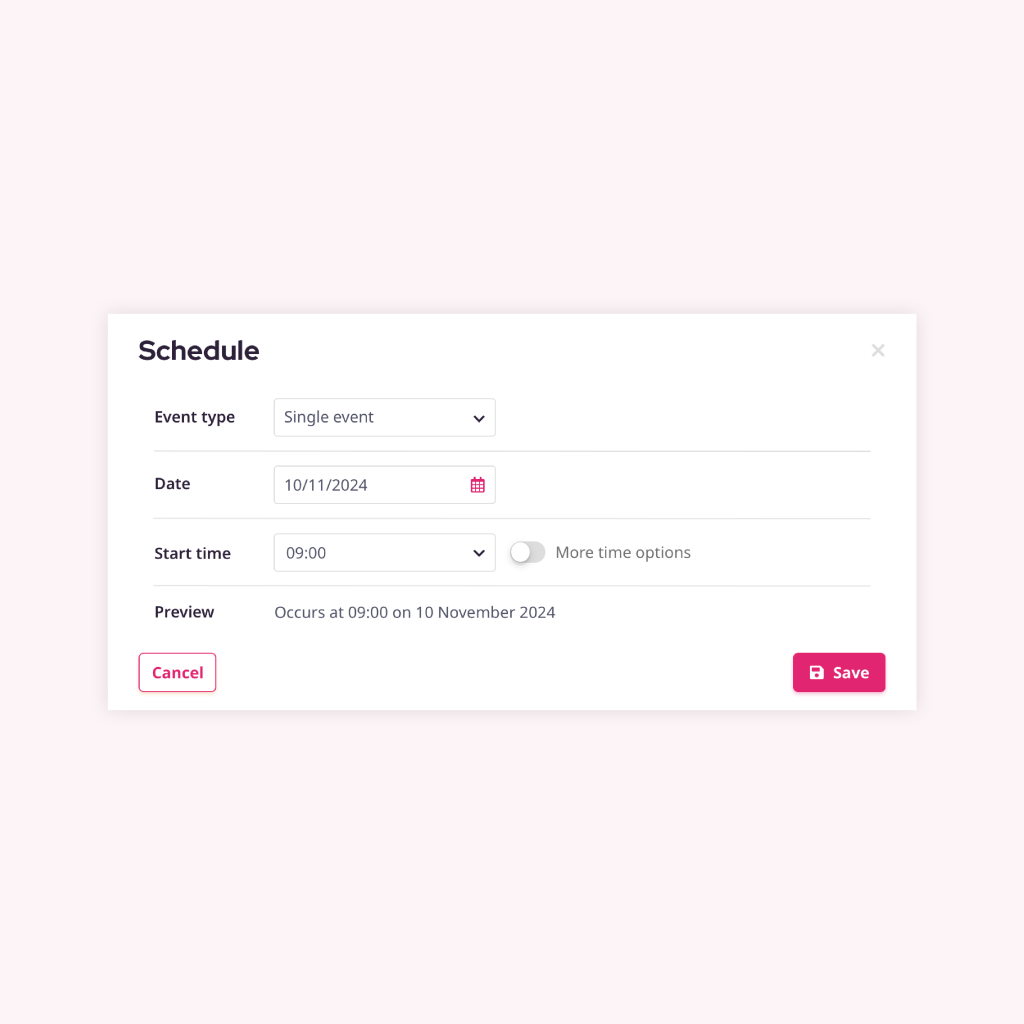
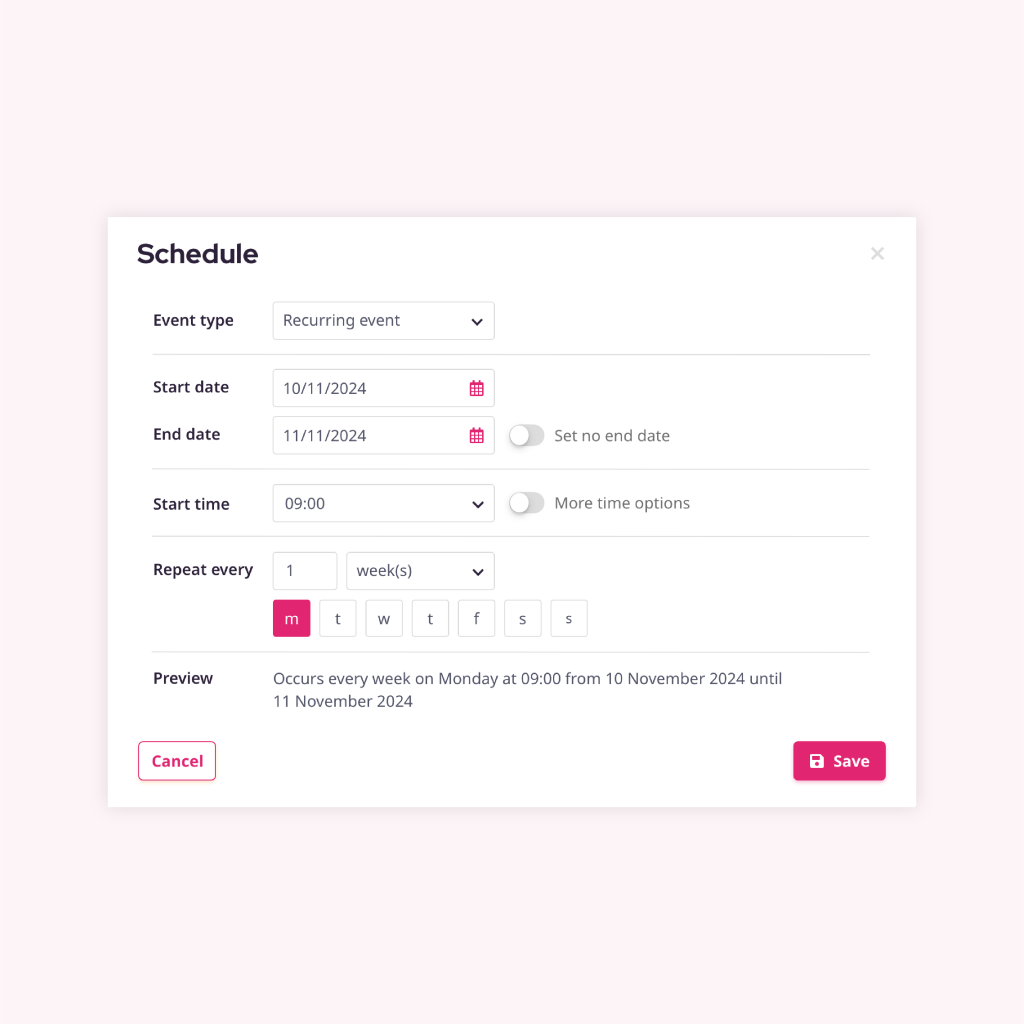
To resolve the problem I spilt the schedule in two types: a single event and a recurring event. This way the user only sees the fields required for the event type and unnecessary confusion is prevented.
Single event
The pop-up shows the single event type as a default. This form shows the necessary input fields to configure to a cron interval.
If the user feels the need to have more options they can switch the toggle and set an end time with interval in minutes or hours.
Recurring event
If users want to repeat their flow daily, weekly, monthly or yearly they would select “Recurring event” as their event type.
Additional input fields are needed to complete this form. The user can check the “Preview” to see if the flow is scheduled at the right moment.