Museumkaart - From digital card to personal overview
Personal Project
Museumkaart - From digital card to personal overview
Personal Project
Problem and Opportunity
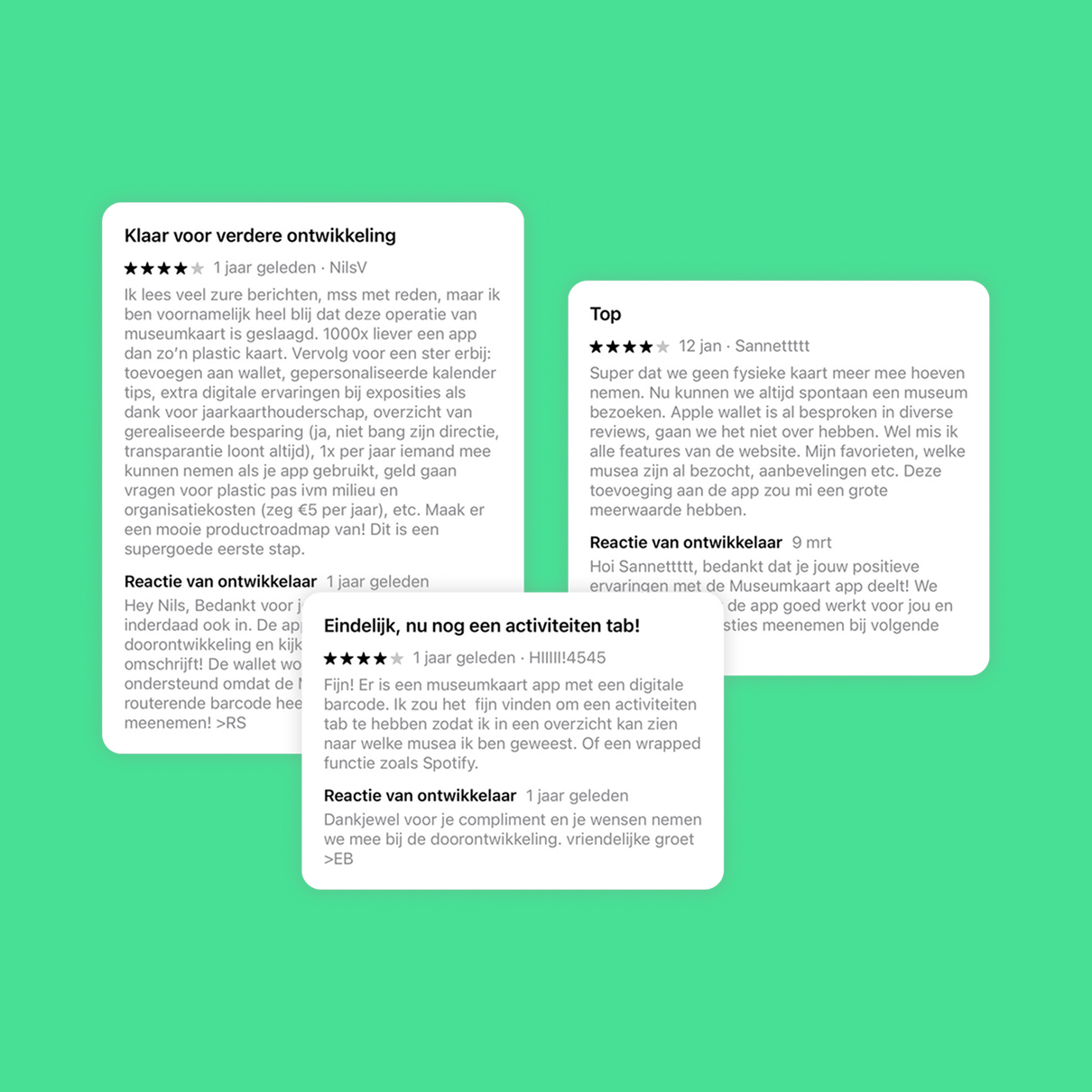
Three App Store reviews of the Museumkaart app each praised the move from a physical card to a digital one, but converged on the same problem: no personal feel
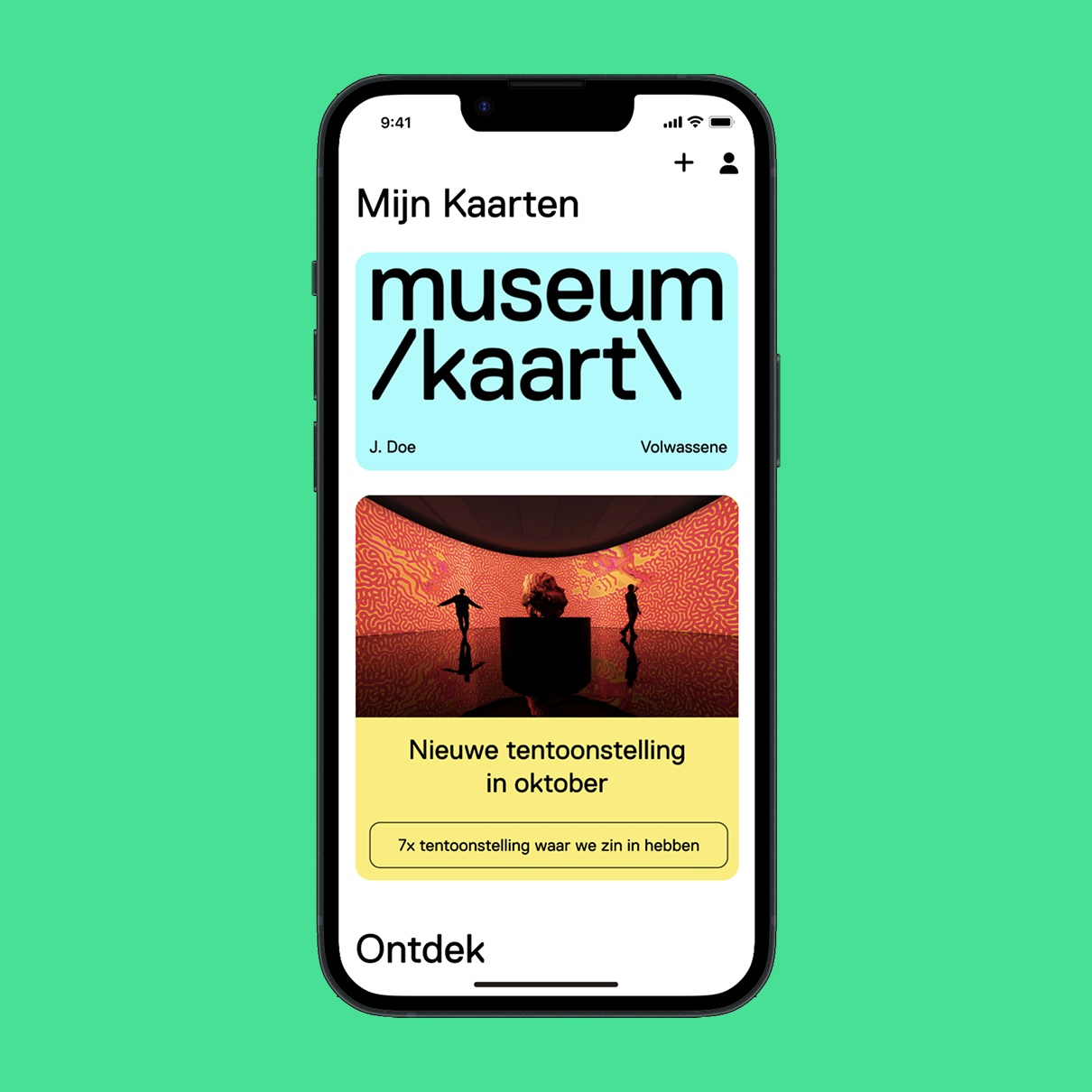
The app is currently a one page app, with at the top your card and at the bottom generic content about upcoming exhibitions.
For a redesign a saw a few opportunity's. Favorites and visit history are the lower-risk opportunities because proven functionality already exists on the website and can be ported into the app rather than invented from scratch. Recommendations is a different kind of opportunity. It doesn't exist anywhere which makes it the most original part of this redesign. Built on data the app collects overtime.
First draft + testing
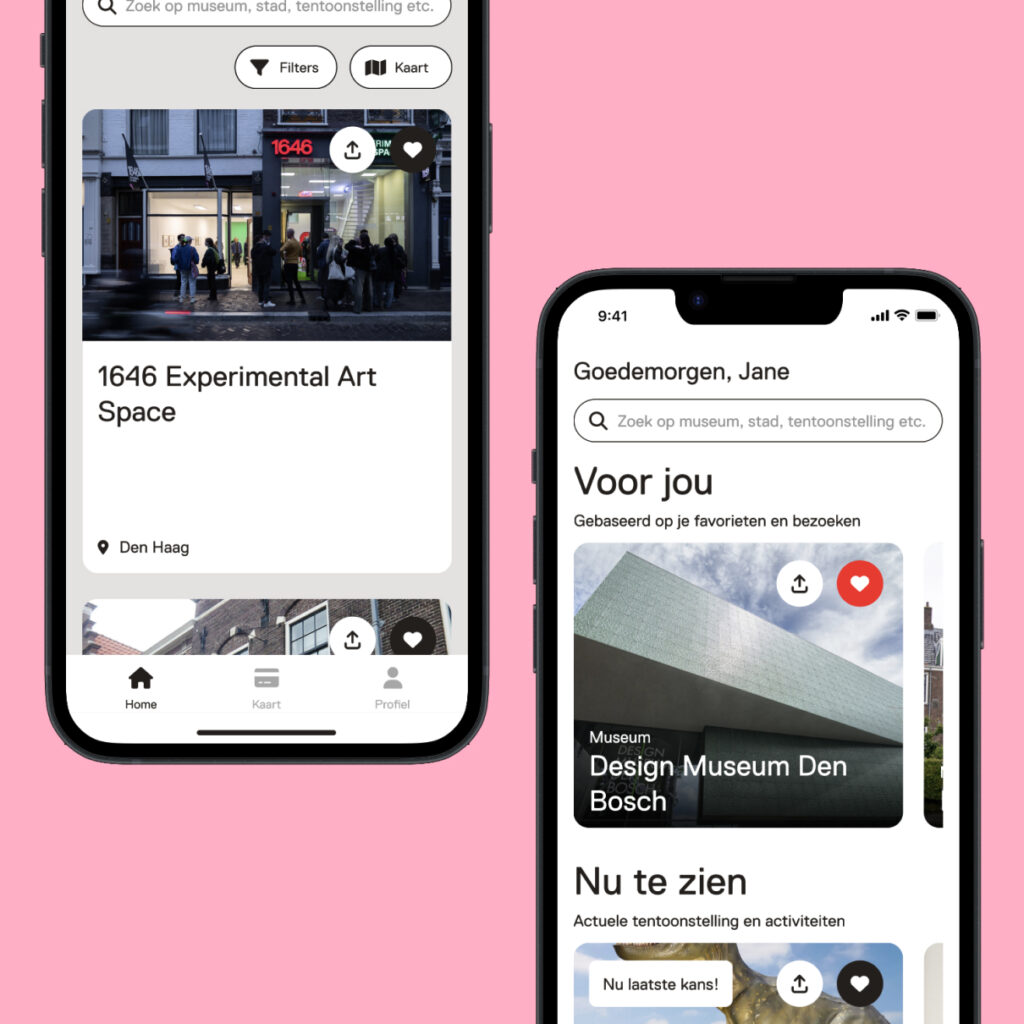
Due to the additional features, I decided to change the layout from a one page app to having multiple tabs. This separates the information, organizes it into relevant categories and keeps the app easy to navigate. The card-scanning flow (Kaart) was left deliberately unchanged. It remains the single highest urgency task.
The “Voor jou” section recommends museums and exhibitions based on the users search data, favorites and visits and is collected overtime. However a user who starts using the app can’t have all of this data. I solved that by adding a small onboarding, asking the user to select subjects they are interested in. These could be changed in their settings later.
I tested the prototype with a small group using task-based scenarios; the structure was well received, with features found without guidance. One addition came from testing: a participant suggested a personalized greeting with their name, confirmed positively by another. I added that at top of the page with a smaller font size keep balance.
First draft + testing
Due to the additional features, I decided to change the layout from a one page app to having multiple tabs. This separates the information, organizes it into relevant categories and keeps the app easy to navigate. The card-scanning flow (Kaart) was left deliberately unchanged. It remains the single highest urgency task.
The “Voor jou” section recommends museums and exhibitions based on the users search data, favorites and visits and is collected overtime. However a user who starts using the app can’t have all of this data. I solved that by adding a small onboarding, asking the user to select subjects they are interested in. These could be changed in their settings later.
I tested the prototype with a small group using task-based scenarios; the structure was well received, with features found without guidance. One addition came from testing: a participant suggested a personalized greeting with their name, confirmed positively by another. I added that at top of the page with a smaller font size keep balance.
Final result and reflection
The final design closes the gap identified in the original App Store reviews. The result is an app that reflects the member using it, instead of showing everyone the same screen.
Because there's now something worth coming back for, the redesign is projected to lift click-through rate on personalized recommendations over the current generic content, and makes users check the app several times a month. For the business, that translates into a more active member base and over time a stronger case for renewal.
For my next project, I want to map out the flow in more depth before moving into design. Midway through this one, I ran into a cold-start problem I hadn't planned for. The “Voor jou” section only works once the app has data about the user, but a new user has none yet. Here, an onboarding step solved it easily. But a problem like that surfacing deeper in a flow, rather than right at the start, might not have such a straightforward fix. Which is why I'd rather map dependencies like this upfront next time, instead of discovering them mid-project.